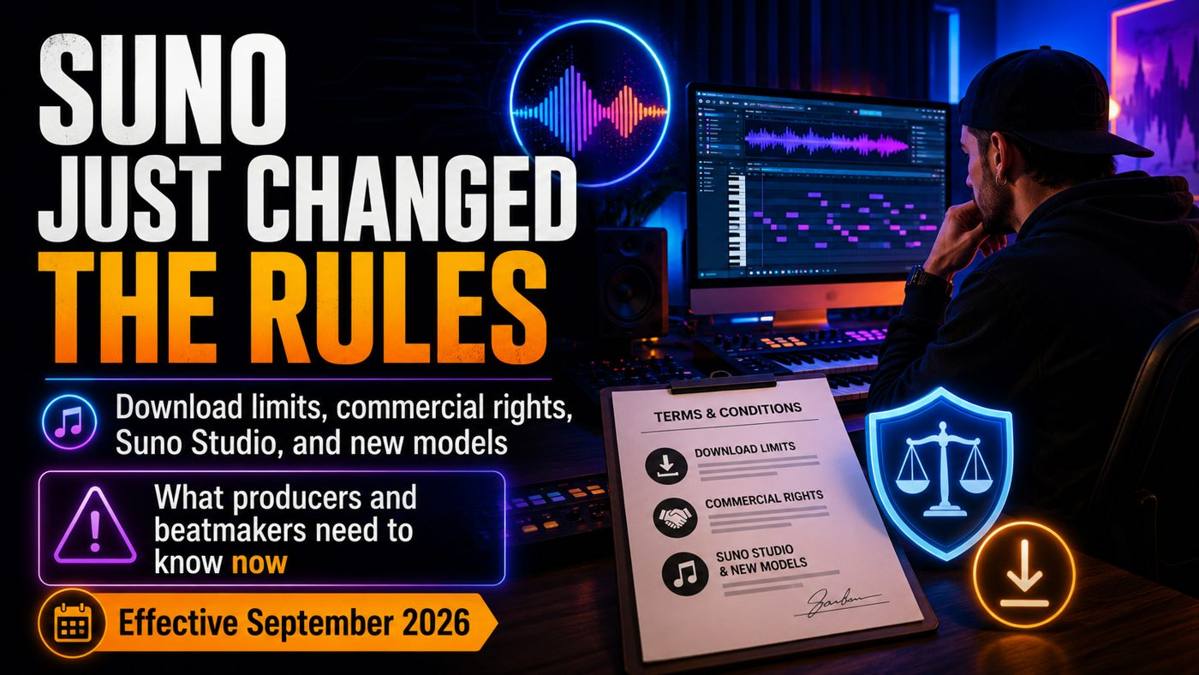
Suno just made one of its biggest shifts yet. Since September 3, 2026, the platform has introduced new rules that directly affect how producers, beatmakers and artists can download, commercialize and manage AI-generated music.
This is not just another pricing update. The changes now touch download limits, commercial-use rights, Suno Studio, MIDI, stems and the way serious producers should connect Suno to a real DAW workflow.
If you use Suno to generate ideas, test arrangements, create melodies or speed up production, here is what changed — and what you should do next.
What actually changed at Suno in 2026?
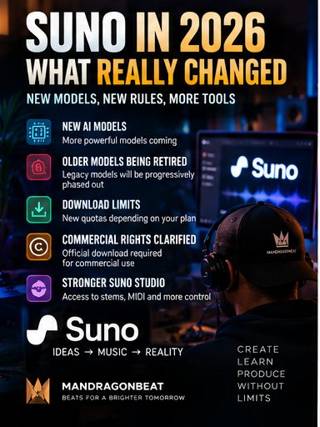
Suno’s updated Terms of Service became effective on September 3, 2026. At the same time, the company announced a new generation of models and said previous models will be retired when that new generation launches. Existing songs remain in user libraries and can still be played and shared.
A faster, higher-fidelity generation is coming with more control for creators.
Free: up to 7 trials. Pro: 20/month. Premier: 60/month.
A permitted Download now matters directly when you plan to monetize an Output.
Studio becomes much more relevant for stems, MIDI and deeper producer workflows.
Download limits: what they mean for producers
| Plan | Downloads | Commercial use |
|---|---|---|
| Free | Up to 7 lifetime trials* | No |
| Pro | 20 / month | Yes, subject to terms |
| Premier | 60 / month | Yes, subject to terms |
| Suno Studio | Studio workflows not subject to the stated limits | Depends on your paid tier |
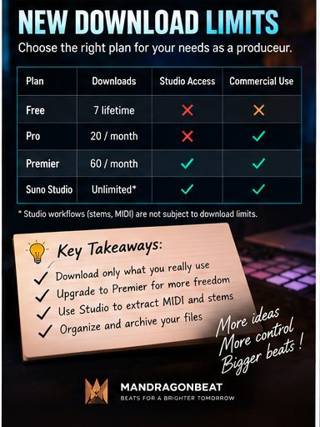
*Free-tier details depend in part on when the account was created. Always check Suno’s latest documentation.
For casual users, 20 or 60 downloads may be enough. But if you generate lots of variations, arrangements and directions, the quota can become meaningful quickly. Downloads now need to be treated as part of your production workflow rather than an unlimited backup button.
Commercial rights: what you can still do
Under Suno’s current Terms, Pro and Premier users can commercially exploit an Output when they have obtained a permitted Download in accordance with their tier. Suno also states that an Output that has not been downloaded through an approved Suno channel may not be commercially exploited.
Another key point: commercial rights attached to a permitted Download are described as perpetual. They are not automatically lost because you later cancel, downgrade or let the subscription expire.
However, Suno also states that it cannot guarantee that copyright will legally vest in every AI-generated Output.
- Officially download every version you plan to monetize.
- Keep the original downloaded file and the download date.
- Archive the related Suno project.
- Keep your FL Studio sessions, stems and masters.
- Document your own contributions: arrangement, instruments, drums, vocals, mixing and mastering.
Why Premier is now the better plan for real producers
Pro still makes sense for regular use, but Premier is becoming much more relevant if you want to integrate Suno into a professional music-production workflow.
According to Suno’s current pricing page, Premier includes Suno Studio, 10,000 monthly credits and the platform’s most complete feature set. For a producer, the biggest difference is not simply more generations — it is the ability to use Suno as an extension of the studio instead of a finished-song machine.
Pro vs Premier: which one makes sense now?
Pro still works if you mainly generate ideas and make a moderate number of downloads. Premier makes more sense if you want to work with Studio, stems and MIDI before rebuilding the track in FL Studio.
The best 2026 workflow: Suno + FL Studio + your own sound
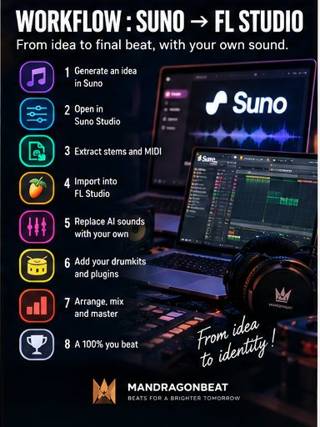
Suno
Suno Studio
MIDI + stems
FL Studio
Your VSTs
Your drumkits
Mix & master
Suno becomes the creative co-pilot. FL Studio stays the real production room.
How to stop your Suno beats from sounding generic
AI generations can be impressive, but if every producer keeps the original drums, instruments and textures untouched, the results quickly begin to feel interchangeable.
The fastest way to create a stronger identity is to replace the elements people recognize first: kick, snare, percussion, bass, main instruments, FX, transitions, groove, velocity and mix processing.
This is especially important in Caribbean music. A convincing Bouyon, Kompa or Shatta beat depends heavily on rhythm, percussion choice and groove.
If you want to replace generic AI drums with genre-focused sounds, the Caribbean God Bundle gives you multiple Caribbean palettes in one pack. You can also go directly to the Bouyon God Drumkit Vol.1, Kompa God Drumkit Vol.1 or Shatta God Drumkit Vol.1.

Another important issue: what you upload to Suno
Suno’s updated Terms also say that you retain ownership of your own Submissions, while granting Suno a broad license to use Content in connection with operating, monetizing, promoting and improving its services and related AI/ML models.
For professionals, that deserves attention. Avoid automatically uploading confidential masters, exclusive artist stems, third-party vocals you are not authorized to use or sensitive proprietary source material just to run a quick test.
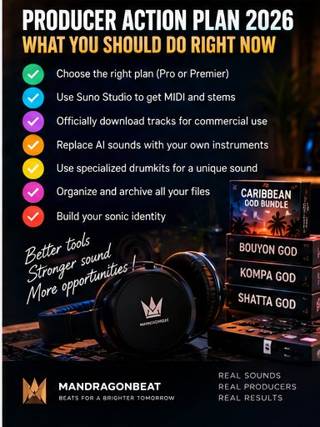
What producers should do right now
- Review your Suno subscription.
- Identify the songs you actually plan to monetize.
- Officially download the commercial versions.
- Test Suno Studio if you need MIDI and stems.
- Bring important projects into FL Studio.
- Replace generic sounds with your own instruments and drumkits.
- Archive your source files and final masters.
- Watch for future model and Terms updates.
FAQ: Suno 2026 rules for producers
Did Suno change its download rules in 2026?
Yes. Suno now uses tier-based download limits. Pro users receive 20 song downloads per month and Premier users receive 60. According to Suno’s current help documentation, workflows inside Suno Studio are not subject to those limits.
Do I still get commercial rights with Suno?
Yes, provided you comply with the applicable terms and obtain a permitted Download of the Output you want to exploit commercially. Free-tier trial downloads remain personal-use only.
Do those commercial rights disappear if I cancel?
Under Suno’s current Terms, commercial-use rights attached to a permitted Download are perpetual and are not automatically revoked just because your subscription later expires, is cancelled or downgraded.
Is Suno Premier worth it for producers?
It becomes especially interesting if you want a deeper production workflow using Studio, more monthly credits, stems and MIDI before finishing the project in FL Studio.
Can I use Suno MIDI in FL Studio?
Yes. That is one of the most useful producer workflows: bring the MIDI into FL Studio, replace instruments, edit the notes and rebuild the track with your own plugins.
How do I make AI-generated beats sound more original?
Do not treat the AI generation as the final master. Rebuild the drums, bass, instruments, transitions and mix. The more of your own sonic palette and decision-making you add, the more recognizable the final beat becomes.
Conclusion: Suno is not becoming less useful — producers just need to use it better
With Studio, stems, MIDI and a new generation of models coming, Suno may become even more useful inside a professional workflow. But the strongest strategy in 2026 is probably no longer “generate a finished song and release it unchanged.”
The better workflow is: Suno idea → Studio extraction/editing → FL Studio → your instruments → your drums → arrangement → mix/master.
If you want your Caribbean productions to sound less generic and more producer-driven, explore the Caribbean God Bundle.
Official sources: Suno Terms of Service — effective September 3, 2026; Suno Pricing. This article is informational and not legal advice.